![recite-logo-large_trans.png]](https://knowledge.reciteme.com/hs-fs/hubfs/recite-logo-large_trans.png?height=40&name=recite-logo-large_trans.png)
User Access – Restrict Users to Specific Groups
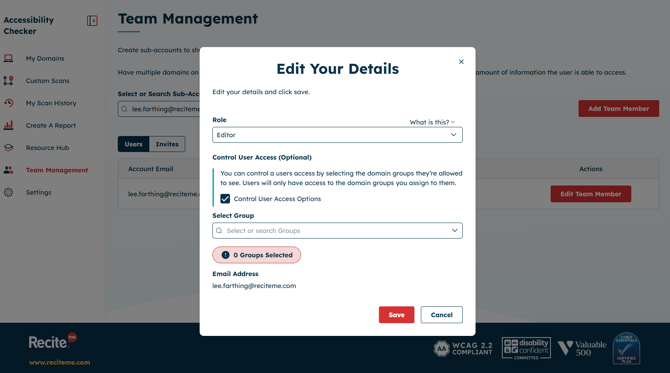
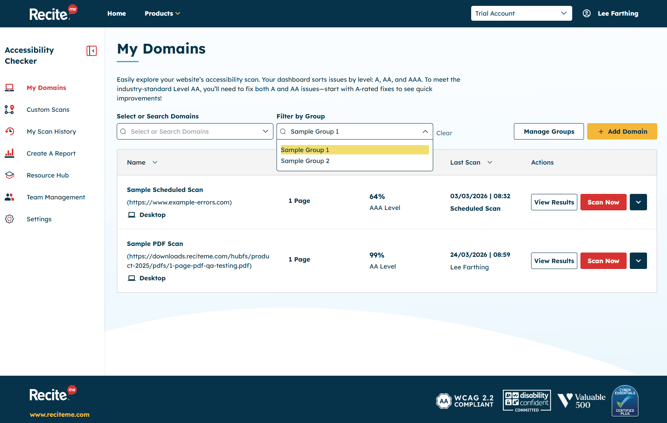
- You can now manage visibility at the user level in Team Management. In a user’s settings, select Control User Access to limit what parts of your organisation a user can see.
- For example, if your organisation has multiple Domains, you can create a Group, add the Domain scan to that Group, and restrict the user’s access to that specific Group only.
- This ensures Editor and Viewer users only see the Domains and content relevant to them.
- This setting is optional, you can give an Editor or Viewer access to all Domain scans, or enable Control User Access to limit them to specific Groups.
Reporting - Granular Progress Breakdown by Day
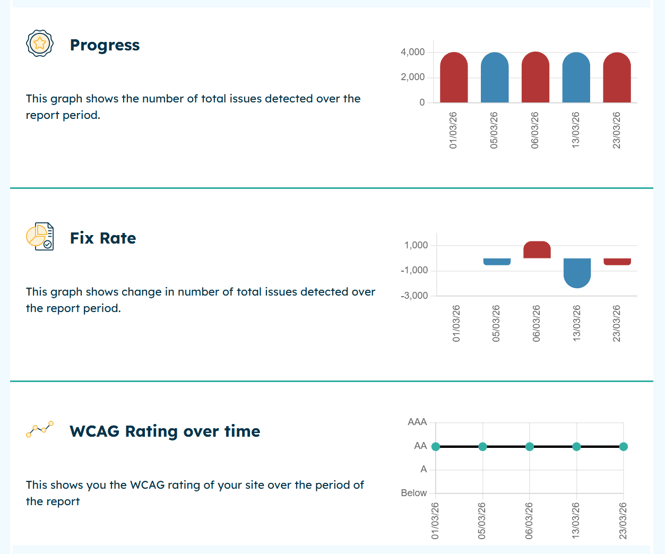
- When you generate a report within the same month, progress is broken down by each day a successful scan took place. This gives you a more granular view across the month instead of a single summary at the end.
- This only applies to reports generated within the same month. Reports covering multiple months will continue to show a monthly summary breakdown.
- This behaviour applies to the Progress, Fix Rate, and WCAG Rating Over Time sections of the report.
Additional Items Released
- 🔍 Accessibility Updates
-
Ensuring WCAG 2.2 Compliance across all new and existing features.
-
- 🐞 Various bug fixes